
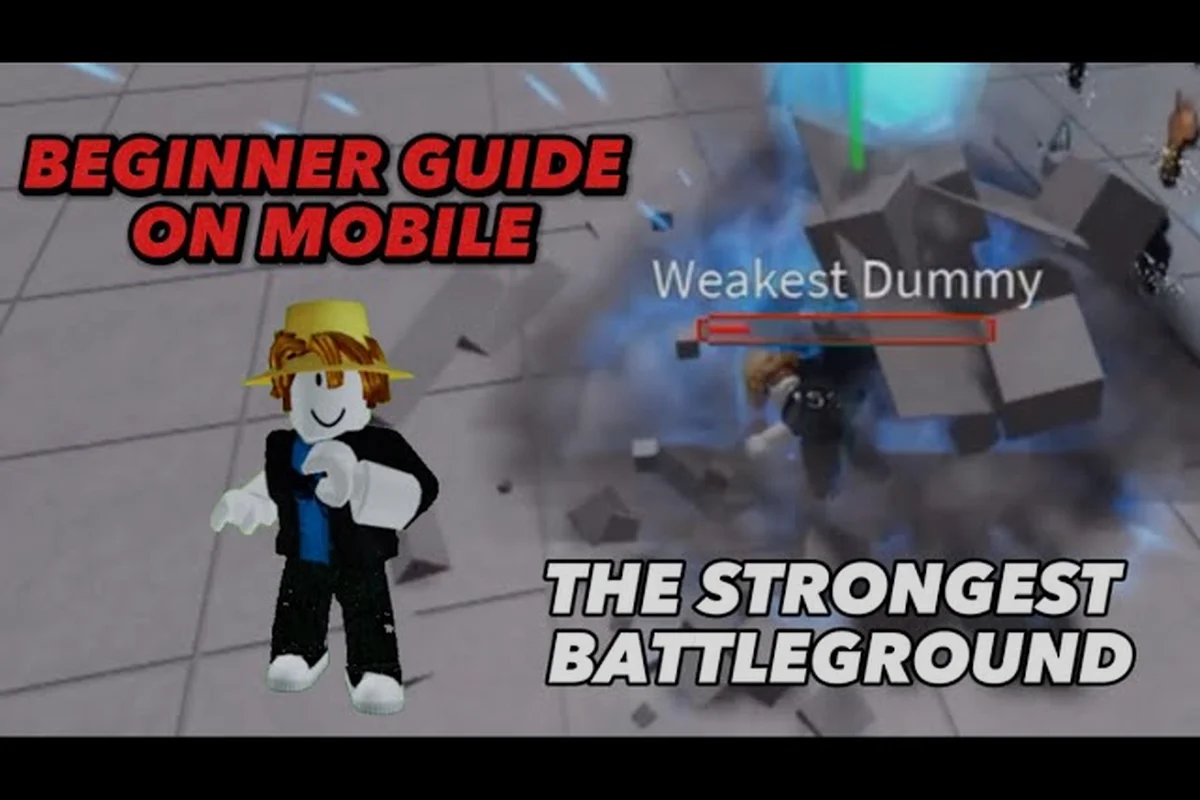
If you are picking up The Strongest Battlegrounds on Xbox or PlayStation, the first thing you will notice is that the console controls feel completely different from the keyboard layout most tutorials assume. This guide maps every button on a gamepad, explains the core mechanics behind each input, and helps you decide whether the game is worth your time on console. By the end, you will know exactly which buttons to press for parries, ragdoll cancels, and ultimate activations without fumbling mid-fight. If you're still learning the ropes of movement and combo structure, our The Strongest Battlegrounds Beginner Guide breaks down the foundational tech and match flow so these advanced inputs feel like second nature by the time you're ready for ranked play.
Console Button Layout and Core Input Mapping
The Strongest Battlegrounds on console follows a standard fighting-game layout, but the exact bindings depend on whether you are using an Xbox or PlayStation controller. The game does not let you remap buttons in the settings menu, so memorizing the default layout is essential before you jump into ranked matches. According to the official Roblox game page, the core systems include Ultimate Mode, Burst, Awakening, Parry, Ragdoll Cancel, dash, and block — all of which map to specific buttons on a gamepad.
| Action | Xbox Controller | PlayStation Controller | Function |
|---|---|---|---|
| Light Attack (M1) | RB | R1 | Fast jab, builds combo starter |
| Heavy Attack | RT | R2 | Slower, launches opponent |
| Dash | LB | L1 | Quick sidestep or forward burst |
| Block | LT | L2 | Hold to reduce incoming damage |
| Jump | A | X | Vertical movement and air combos |
| Ultimate Mode | Y | Triangle | Activates your character's ultimate |
| Emote Wheel | B | Circle | Opens emote selection |
| Parry | X | Square | Timed counter against attacks |
The M1 light attack on RB/R1 is your primary combo tool, and most players build their entire offense around it because it chains into special moves cleanly. The heavy attack on RT/R2 deals more damage but leaves you vulnerable if whiffed, so use it as a combo finisher rather than an opener. Your dash on LB/L1 is the most important defensive tool because it lets you close distance or escape pressure while consuming stamina.
Understanding the Ultimate and Burst Inputs
The Ultimate Mode on Y/Triangle is your match-changing resource, and it charges as you deal and take damage. When the meter is full, pressing the button triggers a cinematic activation that grants temporary stat boosts and unlocks your character's strongest moves. The Burst mechanic, which acts as a defensive reversal, is tied to the same button but requires a separate charge, so you need to read the situation before committing.
The Parry on X/Square is a high-risk, high-reward counter that reflects incoming melee attacks when timed perfectly. Because the window is tight, most console players recommend practicing it in Sparring mode before taking it into real matches. The Ragdoll Cancel, which lets you recover faster after being launched, is performed by pressing the dash button the moment you hit the ground — a timing that feels different on a gamepad than on a keyboard.
Console vs. PC: Key Differences New Players Face
Switching from keyboard to console introduces several challenges that affect how you approach the game. The biggest difference is that keyboard players can bind separate keys for each special move, while console players cycle through abilities using the same face buttons. This means your combo routes need to account for the input delay caused by cycling, which is one of the most common the strongest battlegrounds mistakes to avoid when starting out.
| Control Aspect | PC (Keyboard) | Console (Gamepad) |
|---|---|---|
| Special Move Input | 1-4 keys per move | Face buttons + cycling |
| Camera Control | Mouse look | Right stick |
| Sensitivity Adjustment | Full range | Limited presets |
| Button Remapping | Available | Not available |
| Input Latency | Lower | Slightly higher |
The right stick camera control on console is actually an advantage for tracking opponents during air combos, since you can adjust your view while keeping your left thumb on movement. However, the limited sensitivity presets mean you cannot fine-tune your look speed the way PC players can, which matters for characters that rely on precise positioning. If you are coming from a keyboard setup, expect a short adaptation period where your muscle memory fights the new layout.
Why Console Players Should Adjust Their Settings
Console players should lower their camera sensitivity slightly below the default because the right stick is more sensitive than a mouse at equivalent settings. This is one of the the strongest battlegrounds things to know before your first ranked match, since overcorrecting your camera mid-combo often causes you to lose sight of your opponent. The game also runs at a lower frame rate on older consoles, which affects parry timing windows, so practicing on a newer console or PC gives you a competitive edge.
The Strongest Battlegrounds for Beginners: First Matches on Console
If you are brand new, the the strongest battlegrounds for beginners experience on console starts with the tutorial and Sparring mode. The tutorial teaches you the basic attacks and movement, but it does not explain advanced mechanics like ragdoll cancels or burst timing, so you will need to learn those through experimentation or community guides. Your first few matches will likely be against players who have already mastered the console controls, which can feel discouraging if you do not understand the fundamentals.
-
Start in Sparring mode to practice your M1 chains and special move cycling without pressure
-
Learn one character's moveset before trying others, since each fighter has unique inputs
-
Focus on blocking and dashing before attempting parries, as defense wins early matches
-
Watch your stamina bar — running out mid-combo leaves you completely vulnerable
-
Use the Emote Wheel sparingly during fights, since it leaves you open to attacks
The Sparring mode is your best friend as a beginner because it lets you test combos against a stationary target without worrying about match outcomes. Once you feel comfortable with your character's basic kit, move into casual matches to practice against real opponents who will punish your mistakes. This progression is exactly how most console players improve, and it directly answers whether the strongest battlegrounds worth playing for newcomers — yes, but only if you invest time in learning the controls.
The Strongest Battlegrounds Worth Playing on Console?
The game is absolutely worth playing on console if you enjoy fast-paced fighting games, but the experience is slightly inferior to PC due to input latency and the lack of button remapping. The 83.88% positive rating from over 5.24 million likes on the Roblox page suggests most players enjoy the experience, and the ~79,000 concurrent players as of August 2026 indicates a healthy matchmaking pool. The main drawback is that the competitive scene skews toward PC players, so you may face tougher opponents in cross-platform matches.
Advanced Console Techniques: Parry, Ragdoll Cancel, and Burst
Once you master the basics, the next step is learning advanced techniques that separate good players from great ones. The parry window on console is roughly the same as PC, but the physical button travel time on a gamepad adds a few milliseconds of delay that you must account for. This is why many console players develop a habit of parrying slightly earlier than they would on keyboard, which is a subtle but important adjustment.
| Technique | Button Sequence | Timing Window | Risk Level |
|---|---|---|---|
| Parry | X/Square right before impact | ~10 frames | High |
| Ragdoll Cancel | LB/L1 on landing | ~5 frames | Medium |
| Burst Reversal | Y/Triangle when meter full | Instant | Low |
| Dash Cancel | LB/L1 during attack recovery | ~8 frames | Medium |
The ragdoll cancel is arguably the most important advanced technique because it lets you recover from launches faster than your opponent expects, turning a defensive situation into an offensive one. The timing requires you to press the dash button the exact moment your character touches the ground, which takes practice to nail consistently. The burst reversal is your panic button when you are being comboed, and it creates space while dealing damage, but it consumes your entire burst meter.
Character-Specific Console Considerations
Different characters require different button rhythms on console, and some are significantly harder to play with a gamepad. Saitama, the secret unlockable character, relies on simple but powerful attacks that translate well to console because they do not require complex inputs. Cosmic Garou, on the other hand, has a more technical moveset with multiple stance changes that require quick cycling, which is harder on a gamepad. If you are just starting, choose a straightforward character like Metal Bat or Tank Top Master before attempting the more complex fighters.
Common Console Mistakes and How to Fix Them
The the strongest battlegrounds mistakes to avoid on console are slightly different from PC because of the control scheme. The most common error is mashing the heavy attack button during combos, which causes your character to whiff and leaves you open for punishment. Another frequent mistake is forgetting to use your dash defensively, since console players often focus on offense and ignore the stamina management that keeps them alive.
-
Mashing heavy attacks — slows your combo and leaves you vulnerable; use light attacks to extend
-
Ignoring stamina — running out mid-combo means you cannot dash or block, so manage it carefully
-
Poor parry timing — pressing too early or late wastes the window; practice in Sparring mode
-
Not using Burst — holding your burst meter all match means you never escape combos
-
Forgetting camera control — losing sight of your opponent mid-combo breaks your chain
The stamina management issue is the most impactful because it affects every other mechanic in the game. When your stamina hits zero, you cannot dash, block, or parry, which means you become a sitting target for your opponent's combo. Learning to conserve stamina by blocking instead of dashing and using light attacks instead of heavies will immediately improve your win rate.
Building a Practice Routine for Console
A structured practice routine helps you internalize the console controls faster than random matches. Spend your first session in Sparring mode practicing M1 chains and special move cycling, then move to casual matches to apply those skills under pressure. Record your matches if possible to review your mistakes, and focus on one technique at a time rather than trying to learn everything at once.
Frequently Asked Questions
Can I remap the console controls in The Strongest Battlegrounds?
No, the game does not currently offer button remapping on console. You must use the default layout, which places light attacks on RB/R1, heavy attacks on RT/R2, dash on LB/L1, and block on LT/L2. This limitation means you need to adapt your playstyle to the fixed scheme rather than customizing it.
Is The Strongest Battlegrounds worth playing on console in 2026?
Yes, the game remains popular with roughly 79,000 concurrent players and an 83.88% positive rating. While the console version has slightly higher input latency than PC, the core gameplay is identical, and the matchmaking pool is large enough for consistent matches. The lack of button remapping is the main drawback.
What is the best character for console beginners?
Metal Bat and Tank Top Master are the best choices for console beginners because their movesets rely on straightforward inputs that translate well to a gamepad. Saitama is also viable if you unlock him, but Cosmic Garou and other technical fighters require quick ability cycling that is harder on console.
How do I perform a ragdoll cancel on console?
Press the dash button, which is LB on Xbox or L1 on PlayStation, the exact moment your character touches the ground after being launched. The timing window is roughly 5 frames, so it requires practice. Mastering this technique lets you recover faster and turn defensive situations into offensive opportunities.
Do console players face PC players in ranked matches?
Yes, console players face PC players in ranked matches due to cross-platform matchmaking. PC players enjoy lower input latency and customizable keybinds, giving them an edge. However, mastering console-specific techniques like Parry and Ragdoll Cancel closes the gap. Practice in Sparring mode to refine your timing before climbing ranked.