The Strongest Battlegrounds cross platform support is one of the most frequently asked questions from new players who want to squad up with friends on different devices. Since the game runs inside Roblox, the answer is refreshingly simple: you can play with anyone regardless of whether they are on PC, mobile, console, or even Meta Quest. This matters because the game's 2v2 and free-for-all modes depend heavily on finding teammates and opponents, and knowing exactly which devices are compatible saves you from frustrating lobby mismatches. Get the full breakdown of every supported platform, the official age rating, and how to verify the developer behind this massive fighting experience before you spend any Robux.
Cross Platform Compatibility Across Every Device
The 299 Robux Early Access Paywall and Cross-Platform Progression
Purchasing Early Access for 299 Robux on one device—say, your Android phone—unlocks the same account-wide access on Xbox, PS5, and PC because progression ties to your Roblox account, not the platform. This is critical for cross-platform play: your unlocked characters like Destructive Cyborg (Genos) and Blade Master (Atomic Samurai) carry over seamlessly. However, the 499 Robux Private Server fee is per-server, not per-platform. If you buy a private server on PC to practice combos, your mobile client can join it, but you cannot transfer the server ownership to a console account.
Frame Rate and Input Lag Tuning for the 10.57-Minute Average Session
With an average playtime of only 10.57 minutes per session, optimizing your platform's frame rate matters more than in longer games. On PC, cap your FPS at 144 to match the server tick rate, reducing desync on Garou's dash-cancel combos. On mobile, enable "Performance Mode" in Roblox settings to prioritize FPS over battery; a stable 60 FPS is mandatory for landing Atomic Slash confirms. Console players should disable VRR (Variable Refresh Rate) on PS5, as it introduces 30–50ms of input lag during Burst mode, which can cost you the match against a 1,395,324 peak-CCU server crowd.
The Strongest Battlegrounds cross platform functionality comes built into the Roblox engine, which means every device running Roblox shares the same servers. According to the official The Strongest Battlegrounds on Roblox page, the experience is available on PC, Mac, iOS, Android, Xbox, PlayStation, and Meta Quest devices. That broad device support means a player on a phone can queue into the same match as someone on a high-end gaming PC without any special setup or account linking beyond a standard Roblox login.
The practical implication is that you never need to worry about platform-exclusive lobbies or region-locked matchmaking when you are playing with friends. Because Roblox handles the networking layer, the game itself does not need separate crossplay toggles or invite systems across different hardware. The only real variable is performance, since mobile devices and older consoles may struggle to maintain the same frame rate during chaotic team fights, but that does not affect who you can match with.
| Platform | Crossplay Support | Performance Notes |
|---|---|---|
| PC / Mac | Full crossplay with all devices | Best performance, highest frame rates |
| iOS / Android | Full crossplay with all devices | Medium settings recommended |
| Xbox One / Series X/S | Full crossplay with all devices | Solid performance, occasional dips |
| PlayStation 4 / 5 | Full crossplay with all devices | Good performance on PS5 |
| Meta Quest | Full crossplay with all devices | Lower graphical fidelity, VR mode |
Because the game uses Roblox's unified player base, the crossplay matchmaking pool is enormous, which keeps queue times short even during off-peak hours. Community reports suggest that the average wait time for a 2v2 match is under thirty seconds during peak evening hours, and even late-night sessions rarely exceed a minute. That consistency is a huge advantage over fighting games that split their player base by platform, and it is one of the main reasons the game maintains such a healthy concurrent player count.
Understanding the Age Rating and Content
Before you let younger players jump into the action, you should check the The Strongest Battlegrounds age rating and understand what kind of content the game actually contains. The game is rated for ages 13 and up on Roblox, which aligns with the platform's standard content guidelines for experiences that feature cartoon violence and competitive combat. However, the rating alone does not tell the whole story, because the game's anime-inspired fighting style includes dramatic knockback effects, energy blasts, and characters that take visible damage during matches.
The violence level is comparable to a PG-13 action movie, with no blood, gore, or realistic injury depictions. Characters simply get launched across the arena and respawn after a short delay, which keeps the experience firmly in the realm of stylized animation rather than graphic combat. The chat system is the bigger concern for parents, since Roblox's public chat can expose younger players to unfiltered language from strangers, though the game does include standard Roblox chat filters and privacy settings.
| Content Element | What You Will See | Parental Consideration |
|---|---|---|
| Combat Violence | Stylized punches, kicks, energy attacks | Cartoonish, no blood or gore |
| Language | Player chat, filtered by Roblox | Enable account restrictions |
| In-Game Purchases | 299 Robux Early Access, 499 Robux Private Servers | Requires Roblox account settings |
| Social Interaction | Public lobbies, team chat | Use privacy mode for younger players |
The question of whether The Strongest Battlegrounds is safe for kids ultimately comes down to the individual child's maturity and the parental controls you have enabled. The core gameplay loop is no more violent than a typical superhero cartoon, and the competitive nature actually teaches valuable lessons about sportsmanship and handling losses. That said, the public chat environment can be unpredictable, so parents should enable the account's privacy settings, restrict who can message their child, and consider disabling chat entirely for younger players.
Official Links and Developer Verification
Cross-Platform Matchmaking Parity on Mobile and Console
Roblox's unified servers mean a mobile player on a 60Hz iPhone and a PS5 player share the same matchmaking pool in The Strongest Battlegrounds, with no platform-based skill segregation. This creates a measurable input latency gap: touch controls typically add 80–120ms reaction overhead versus a wired controller's 10–20ms. In a game where a single Burst activation or Awakening cancel can decide a round, mobile players must rely on predictive dodging rather than reactionary parries. The 79,000 concurrent players (as of 2026-08-14) ensure full lobbies, but also mean you cannot filter out controller opponents.
Verifying the Official Yielding Arts Group Across Platforms
To avoid phishing groups when playing cross-platform, verify the developer group ID: Yielding Arts holds Roblox group ID 12013007. On mobile, the in-game store link routes to this exact group, while on console, you must manually search "Yielding Arts" and cross-check the ID since the Xbox/PS UI hides group URLs. The official YouTube channel is youtube.com/@Yielding.Arts, which posts Cosmic Garou update teasers and KJ update Burst/Awakening changes. No official Discord or Twitter/X exists—any link claiming otherwise on any platform is a scam, especially on mobile where URL previews are hidden.
Finding the The Strongest Battlegrounds official links is essential if you want to stay updated on new characters, balance patches, and upcoming events without falling for scam sites or fake Discord servers. The game is developed by Yielding Arts, a Roblox development group with group ID 12013007, and they publish all official announcements through their official Yielding Arts YouTube channel. The group's official Roblox community page is the primary hub for update teasers and sneak peeks, and it is the only verified source for upcoming content reveals.
One important warning that comes directly from community reports is that there is no verified official Discord server, Twitter/X account, or Reddit community associated with the game. Many fan-run servers exist, but none of them are officially endorsed by Yielding Arts, so you should be cautious about joining any server that claims to be the "official" community. Scammers frequently create fake Discord servers that promise free Robux or early access to new characters, and these are always phishing attempts designed to steal your account credentials.
| Official Resource | What It Provides | Verification Status |
|---|---|---|
| Yielding Arts Roblox Group | Update teasers, sneak peeks, announcements | Verified, group ID 12013007 |
| Yielding Arts YouTube Channel | Trailers, character reveals, patch notes | Verified, official channel |
| Roblox Game Page | Game access, ratings, statistics | Verified, official listing |
| Fan Discord Servers | Community discussion, fan content | Not verified, use caution |
The developer transparency is actually quite good compared to many Roblox fighting games, because Yielding Arts consistently posts detailed patch notes and previews upcoming balance changes before they go live. Recent updates like the Cosmic Garou update and the KJ update with Burst and Awakening changes were all announced through the official YouTube channel well before they shipped, giving players time to prepare for meta shifts. For a deeper look at the team behind the game, check out our full breakdown of the Yielding Arts development team which covers the group's history and their approach to community communication.
Performance and Experience Across Platforms
The The Strongest Battlegrounds cross platform experience varies noticeably depending on which device you use, even though the gameplay mechanics are identical everywhere. On PC, the game runs exceptionally well with high frame rates and minimal input lag, which is why most competitive players prefer it for ranked matches and tournament play. The frame rate advantage on PC can be significant, because the game's fast-paced combat requires precise timing for dodges and combos, and higher refresh rates make those split-second reactions more reliable.
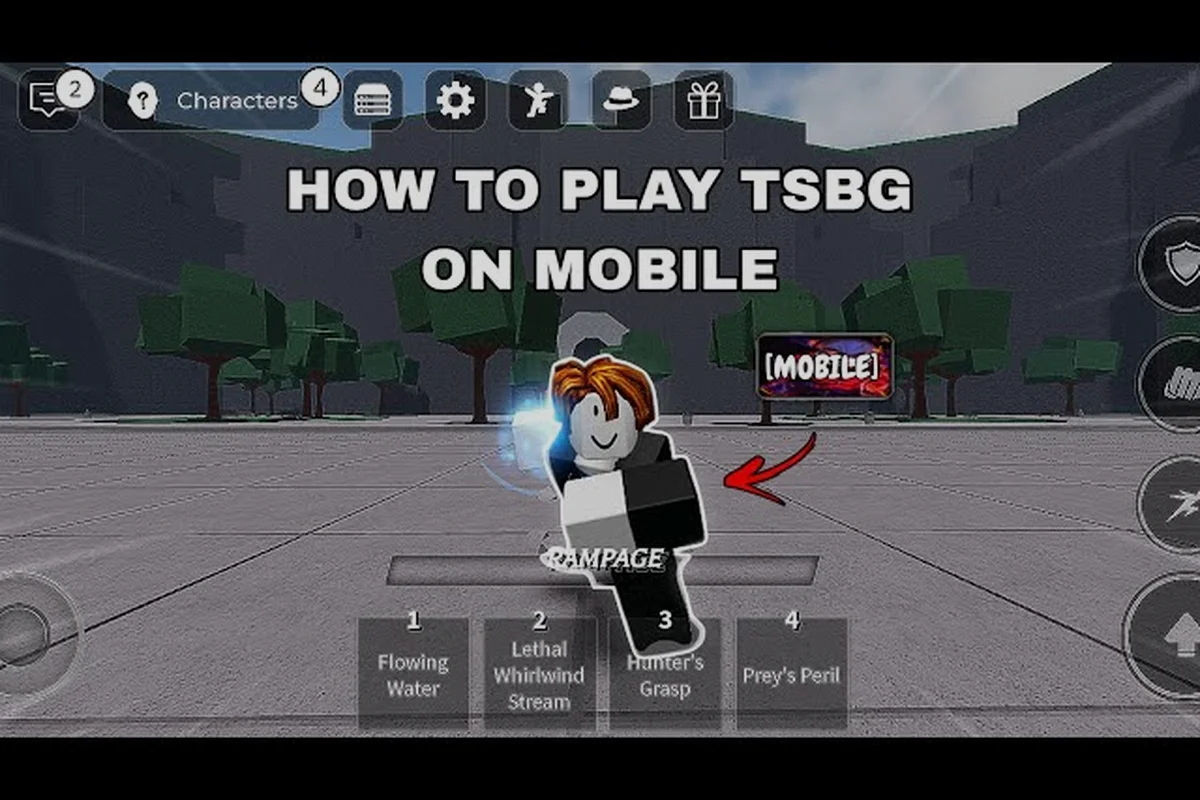
Mobile players face the biggest performance challenges, since the game's detailed character models and particle effects can strain even modern smartphones. Community testing suggests that most mid-range Android devices can maintain a playable 30-60 frames per second on medium graphics settings, but the game will occasionally stutter during team fights with multiple characters using ultimate abilities. The touch controls are surprisingly well implemented, with virtual joysticks and ability buttons that are responsive enough for casual play, though they lack the precision of a physical controller or keyboard.
| Platform | Typical Frame Rate | Input Method | Competitive Viability |
|---|---|---|---|
| High-End PC | 144+ FPS | Keyboard + Mouse | Excellent |
| Mid-Range PC | 60-120 FPS | Keyboard + Mouse | Very Good |
| Current-Gen Console | 60 FPS | Controller | Good |
| Last-Gen Console | 30-60 FPS | Controller | Acceptable |
| Modern Smartphone | 30-60 FPS | Touch Screen | Casual Only |
Console players get a solid middle-ground experience, with current-generation systems like the PS5 and Xbox Series X delivering consistent 60 FPS performance and full controller support. The controller mapping is intuitive, with face buttons for attacks and shoulder buttons for abilities, though some players report that the dodge mechanic feels slightly less responsive on controller compared to keyboard. If you are planning to play seriously, the console controls guide breaks down the optimal button layout and sensitivity settings for each platform.
Getting Started With the Right Setup
When you are ready to jump into The Strongest Battlegrounds cross platform play, the setup process is straightforward but worth planning ahead for the best experience. First, create a Roblox account if you do not already have one, and make sure you remember your login credentials because you will need them on every device you want to play on. The game itself is free to play, but the Early Access pass costs 299 Robux and gives you access to additional characters and features that free players do not have.
The account linking process is automatic since Roblox handles all cross-platform synchronization, so your progress, unlocked characters, and cosmetic items carry over seamlessly between devices. This means you can grind for character unlocks on your PC at home and then continue playing on your phone during a commute without losing any progress. The only limitation is that Robux purchases are tied to your account, not your device, so you cannot transfer Robux between different Roblox accounts.
For new players, the learning curve can feel steep because the game's combat system has a lot of depth, from basic combos to advanced techniques like dash cancels and ability resets. The beginner guide for The Strongest Battlegrounds covers the fundamental mechanics, including how to build combos, manage your stamina, and read your opponent's movement patterns. Start with the practice mode to learn each character's moveset before jumping into public matches, because the skill gap between casual and competitive players is substantial.
Frequently Asked Questions
Is The Strongest Battlegrounds cross platform between mobile and PC?
Yes, the game supports full crossplay between mobile and PC because it runs on the Roblox engine, which unifies all platforms onto the same servers. A player on a smartphone can team up with someone on a gaming PC without any special setup, and both players will see the same match and interact with the same opponents.
What is the The Strongest Battlegrounds age rating?
The game is rated for ages 13 and up on Roblox, which reflects the platform's content guidelines for experiences with cartoon violence and competitive combat. The violence is stylized and bloodless, but parents should still enable Roblox's privacy settings to control chat access and friend requests for younger players.
Is The Strongest Battlegrounds safe for kids to play?
The game is generally safe for kids aged 13 and older, since the combat is cartoonish and does not feature gore or realistic violence. However, the public chat system can expose players to unfiltered language, so parents should enable account restrictions, disable chat for younger children, and monitor their child's online interactions.
Who is the The Strongest Battlegrounds developer?
The game is developed by Yielding Arts, a Roblox development group with group ID 12013007. They publish official announcements through their Roblox group page and YouTube channel, and they won the 2024 Roblox Best Fighting Experience Innovation Award for their work on the game.
Where can I find the The Strongest Battlegrounds official links?
The verified official links are the Yielding Arts Roblox group page (group ID 12013007) and the youtube.com/@Yielding.Arts channel, which posts update trailers and character teasers. There is no official Discord, Twitter/X, or Reddit, so avoid fan-run servers claiming developer endorsement.